Physical Address
304 North Cardinal St.
Dorchester Center, MA 02124

Let’s be real: Walking into a tech store (or browsing Amazon) in 2026 feels overwhelming. It used to be simple—you just picked an Intel Core i5 or i7, checked the storage, and walked away.
But today? You’re bombarded with terms like “AI PC,” “NPU TOPS,” “LPCAMM2 Memory,” and the confusing battle between ARM and x86 chips. If you’re not careful, you might spend $1,200 on a machine that feels “new” today but becomes obsolete by next year.
Whether you are a student, a writer, or just someone who needs a reliable machine, this isn’t a list of specs. This is a sanity check. Here are the 5 critical things you need to evaluate before dropping your hard-earned cash in 2026.

When looking for a Laptop in 2026. Most people overestimate what they need and underestimate what they actually do. Don’t just ask: “What is my job title?” Ask yourself: “What is my Threshold of Frustration?”
The Browser Hoarder: Do you keep 40+ Chrome tabs open while running Spotify and Zoom? You aren’t a “light user.” You are a RAM-heavy user.
The “Hybrid” Worker: Do you actually work from coffee shops, or does the laptop just move from your office desk to your dining table? If it never leaves the house, stop obsessing over “thin and light” and battery life. Get a heavier machine with better cooling and a bigger screen.
The Creator: Do you edit 4K video daily, or just once a month for a family trip? If it’s the latter, you don’t need a workstation-class GPU.
Pro Tip: The “Task Manager” Test
Before you buy, open your current laptop during your busiest hour of work. Open Task Manager (Windows) or Activity Monitor (Mac).
If your RAM usage is constantly above 80%, you need double your current memory in the new machine.
If your CPU is spiking but RAM is low, focus on a better processor (H-series) rather than more memory.
Don’t guess specs; let your current usage dictate your future purchase.
This is the most critical financial advice I can give you this year.
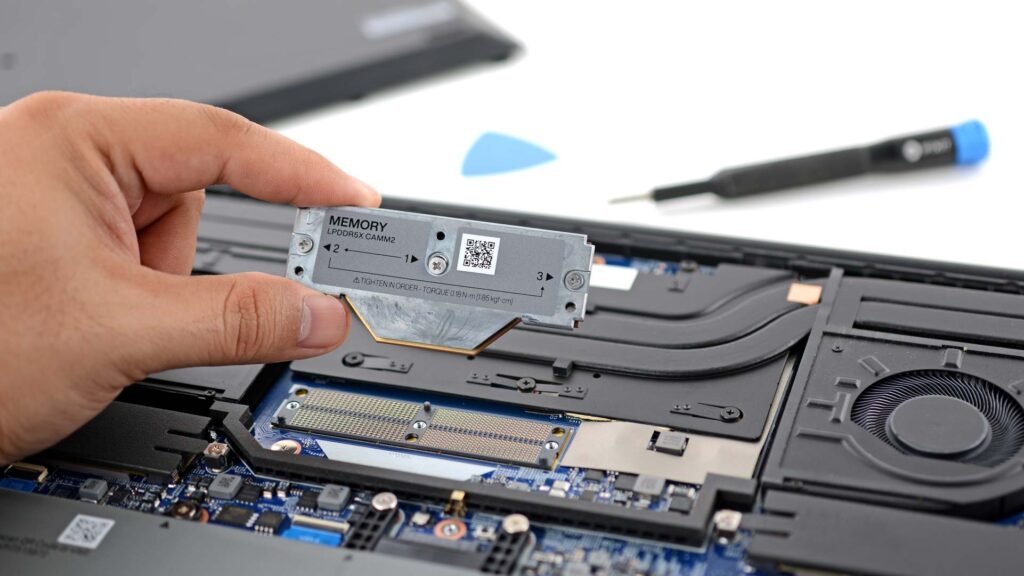
The Trend: We are seeing a major shift in memory technology. The traditional stick RAM (SO-DIMM) is being replaced by LPCAMM2 or completely soldered memory to support faster speeds for AI and gaming. The Price Prediction: With the global demand for AI servers spiking, DRAM prices are predicted to remain volatile throughout 2026.
My Advice:
Forget 8GB. It is dead. The operating system alone eats half of that.
16GB is the new minimum, but 32GB is the sweet spot for future-proofing.
Don’t plan to upgrade later. With the rise of soldered RAM and expensive proprietary modules, upgrading your laptop in 2027 might cost you more than just buying the right spec today. Buy for the next 4 years, not just for today.
Buying Advice: The “Soldered” vs. “LPCAMM2” Rule
When reading the spec sheet, look for the term “LPCAMM2”.
If it has LPCAMM2: You are safe to buy 16GB now and upgrade later.
If it says “Soldered” or “On-board”: You are trapped. Do NOT settle for 16GB if you plan to keep this laptop for 4+ years. Stretch your budget for the 32GB model now, or you will regret it when the next Windows update eats more resources.

You will see “AI PC” plastered on every box this year. But do you need it? Let’s strip away the marketing hype.
What is it? An NPU (Neural Processing Unit) is a dedicated chip designed to handle AI tasks efficiently without draining your battery.
The Neutral Take:
You DON’T need it if: You only browse the web, write emails, or watch Netflix. A standard CPU handles these fine.
You MIGHT need it if: You want better battery life during video calls (for background blur/noise cancellation) or use features like Windows Studio Effects.
You DO need it if: You run local AI models (like generating images on your device without internet) or use heavy creative software like Adobe Premiere, which is increasingly leaning on NPU acceleration.
Example to watch: Look at laptops with the Intel Core Ultra (Series 2) or AMD Ryzen AI 300 series. They balance this well without forcing you to be an AI engineer.
Reality Check: The “40 TOPS” Threshold
Don’t get scammed by the “AI PC” sticker. Not all AI chips are created equal. If you want to use Microsoft’s advanced AI features (like Recall or advanced Copilot), ensure the NPU is rated for at least 40 TOPS (Trillions of Operations Per Second). Anything less than that is just a marketing gimmick that won’t future-proof you for the next wave of AI apps.
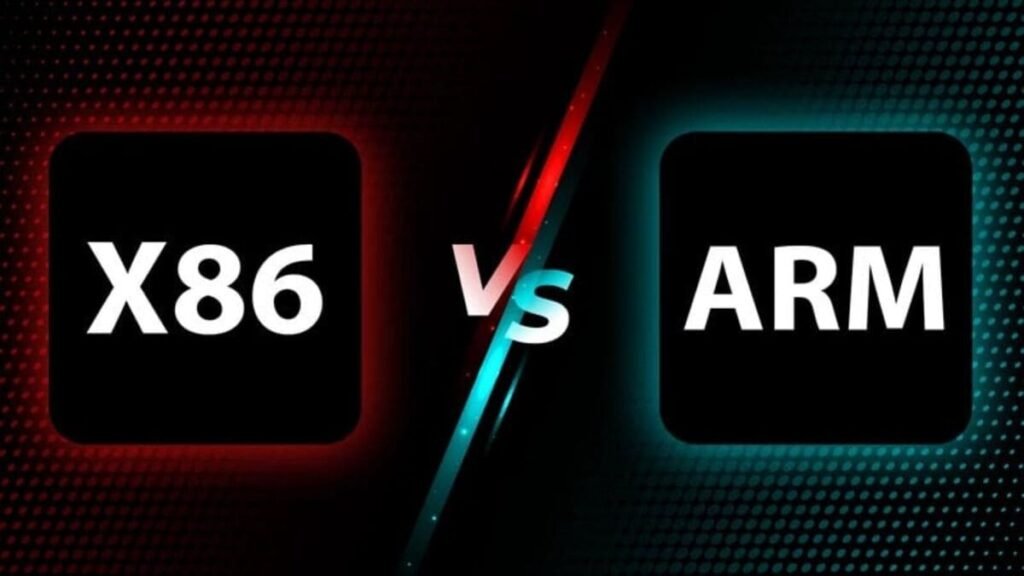
For decades, Intel and AMD (x86) ruled the world. But now, chips like the Snapdragon X Elite (ARM-based) are changing the game. This is the “MacBook-ification” of Windows laptops. This is a new concept if you looking to buy a Laptop in 2026.
Choose ARM (Snapdragon) if: You value battery life above all else. These chips can easily pull 15-18 hours on a single charge and wake up instantly like your phone. Perfect for writers and students.
Choose x86 (Intel/AMD) if: You rely on specific legacy apps, old games, or specialized drivers for hardware (like printers or audio interfaces). Compatibility is still King here.
Compatibility Tip: Check Before You Leap
Eyeing a Snapdragon (ARM) laptop for that insane battery life? Great choice, BUT… Before you buy, visit websites like
“WorksOnWoA.com” (Windows on ARM) to check if your specific critical apps (like obscure accounting software or old games) are compatible.
Rule of Thumb: If you live in a browser (Chrome/Edge), ARM is safe. If you rely on specialized hardware drivers (like older printers or music interfaces), stick to Intel/AMD (x86) for now.

Specs look good on paper, but these hidden features determine if you will hate your laptop in 3 months.
The “400 Nits” Rule: Check the screen brightness. If you ever work near a window or outdoors, a 250-nit screen will look like a mirror. Aim for at least 400 nits.
Aspect Ratio Matters: Stop buying 16:9 (widescreen) laptops for work. Look for 16:10 or 3:2 screens. They give you more vertical space for documents and websites. It sounds minor, but it’s a game-changer for productivity.
The Port Check: Living the “Dongle Life” is miserable. If you use a wired mouse or HDMI for presentations, make sure the laptop has those ports built-in. Don’t assume USB-C solves everything.
The “Coffee Shop” Test
You can’t test battery life in a store, but you CAN test the chassis.
The Keyboard Flex: Press down hard on the center of the keyboard. If it bends easily, the build quality is cheap and might not survive your backpack.
The One-Finger Open: Can you open the lid with one finger without the laptop lifting off the table? This is a subtle sign of premium weight distribution and hinge quality that often correlates with better overall longevity.
If you scrolled all the way to the bottom just to get the answer (I don’t blame you, time is money), here is your quick summary.
Buying a laptop in 2026 isn’t just about raw speed; it’s about longevity. You are not just buying a device for today; you are buying a machine that needs to survive the next wave of AI updates and software bloat.
Before you swipe your card, run through this final checklist:
✅ Memory (RAM): 16GB is the absolute minimum for survival. Aim for 32GB (LPCAMM2 or Soldered) if you want this laptop to feel fast in 2029.
✅ The AI Chip (NPU): Check for 40+ TOPS if you want to use advanced AI features. Anything less is just marketing fluff.
✅ The Platform: Pick Snapdragon (ARM) for all-day battery life, or Intel/AMD (x86) if you need perfect compatibility with older apps and hardware.
✅ The Eyes: Do not settle for less than 400 Nits brightness and a 16:10 aspect ratio. Your eyes will thank you later.
✅ The Connectivity: Ensure you have at least one HDMI port and one USB-A port unless you enjoy carrying a bag full of dongles.
The Golden Rule: It is always cheaper to buy the right spec now than to buy a cheap laptop today and replace it in two years because it feels slow. Buy nice, or buy twice.
Ready to see specific models that pass this test? Head over to our curated list of [The Best Future-Proof Laptops of 2026].